
Meet the Minnet solution
Everyday life at home.
A connection you share.
A tablet for the older adult. A mobile app for family and other trusted people. Together, they bring daily reminders, shared responses and family conversation into the same everyday routine.
Minnet is currently available through private pilots and testing. The next pilot is Finland only.
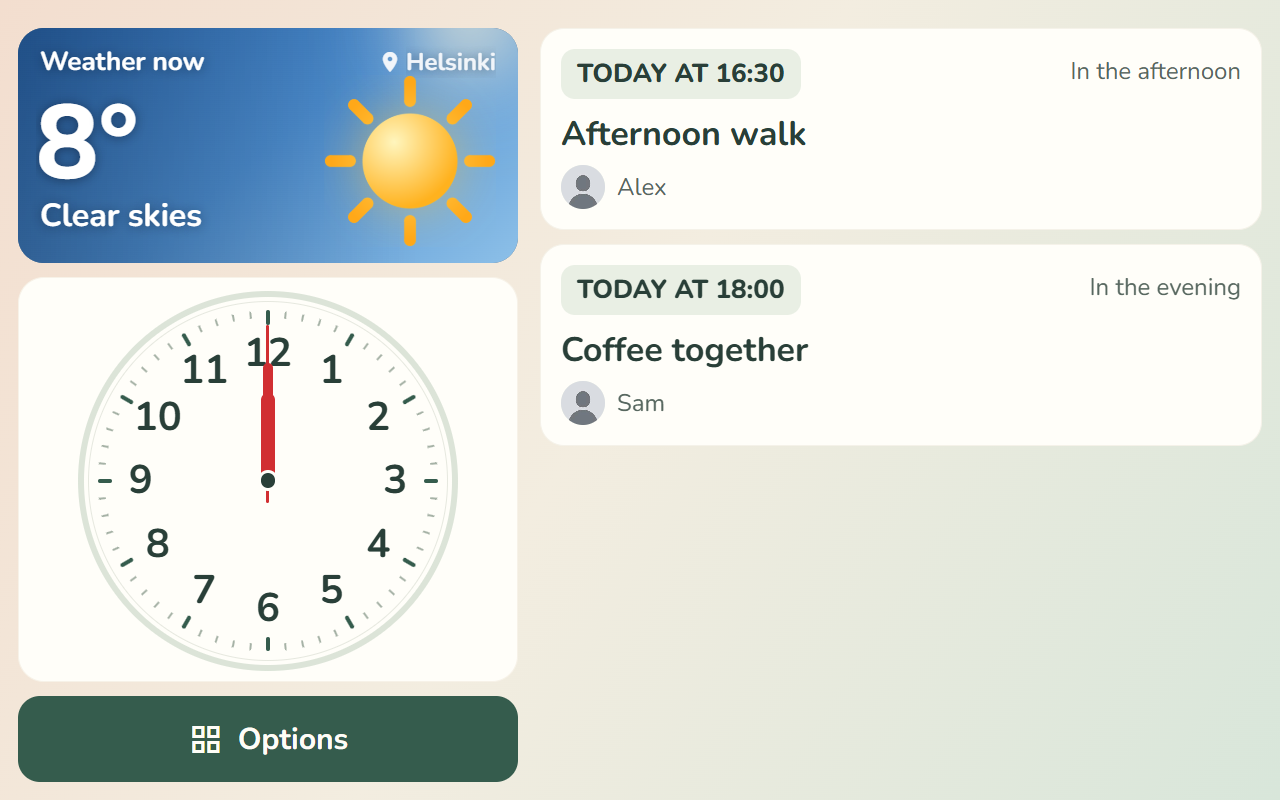
Minnet Tablet · For the older adult at home
The day ahead, in view.
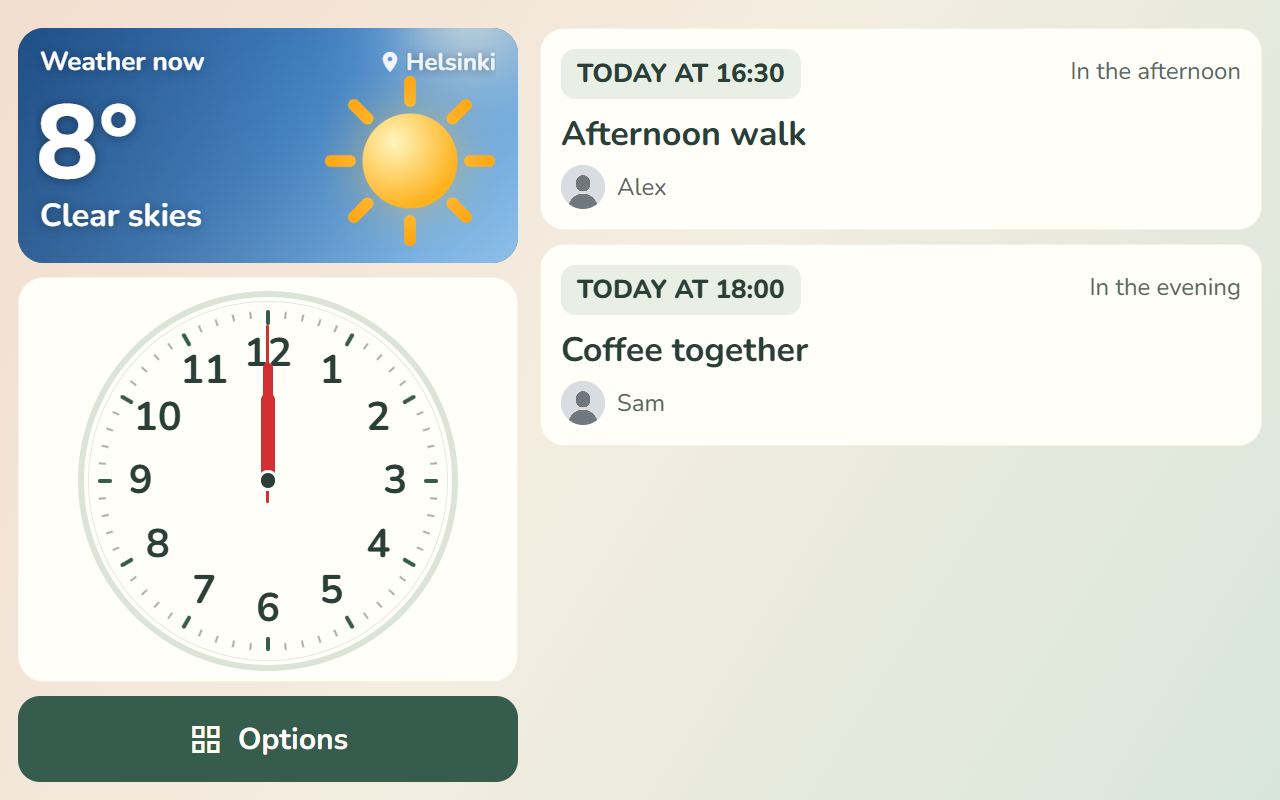
The tablet brings upcoming reminders, time and date into a daily home view. The person using it can read what is coming up and respond to reminders themselves.
- A daily starting point
- See the time, date and up to five upcoming eligible reminder cards, with the sender shown alongside each reminder.
- A clear reminder when it is due
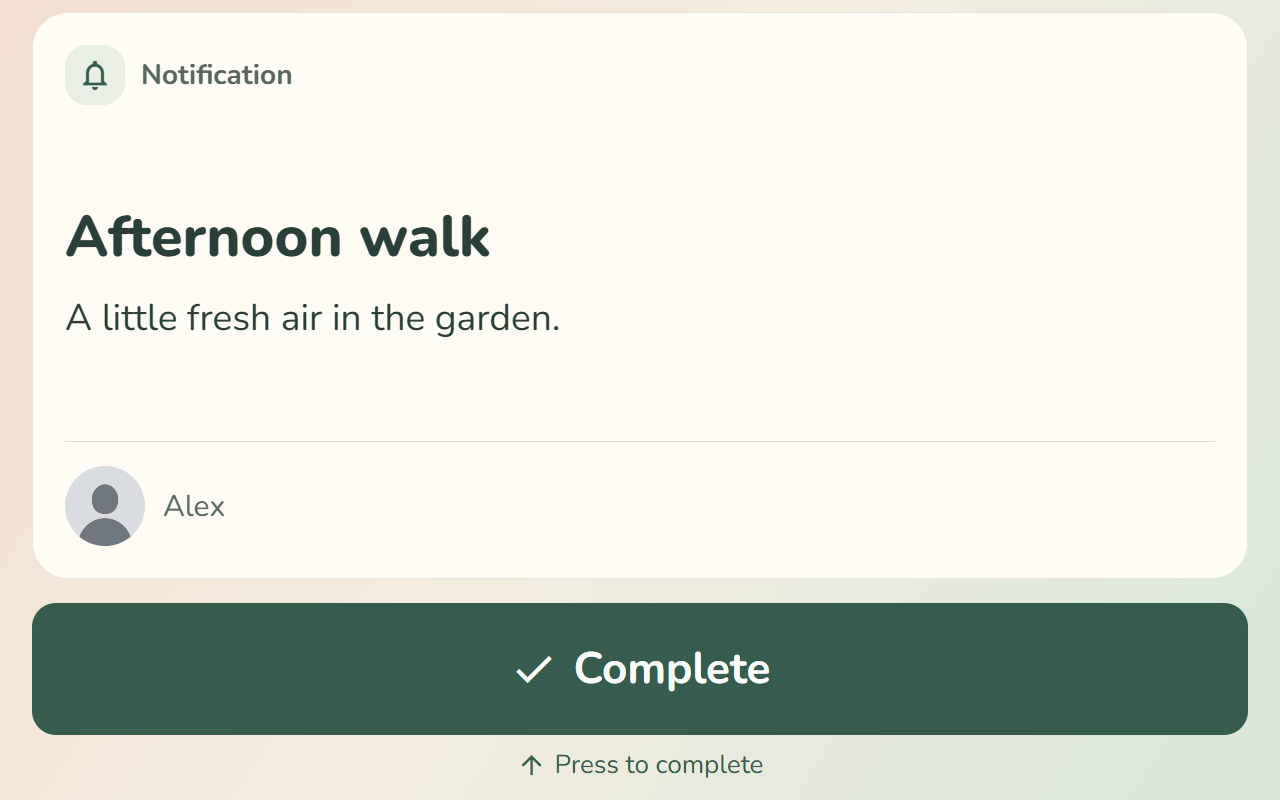
- A reminder that needs acknowledgement opens a large prompt with its title, description and a Complete action. An advance warning can be set separately.
- An extra cue, read aloud
- Reminders can include spoken prompts. Supported home content can also be read aloud with a tap, when enabled and supported by the device’s voices.
- Room to take part
- With the relevant tablet actions enabled, the older adult can use the shared family chat and create or manage reminders. The tablet has a simpler repeat editor than the mobile app.
- Everyday context
- Optional weather needs foreground location permission and a configured service. Clock and calendar displays can be adjusted remotely; Finnish and Swedish name days and holidays depend on external calendar services.
Due prompts require an active tablet app and synchronized data. Items without required acknowledgement appear ahead of time and do not open the completion screen.
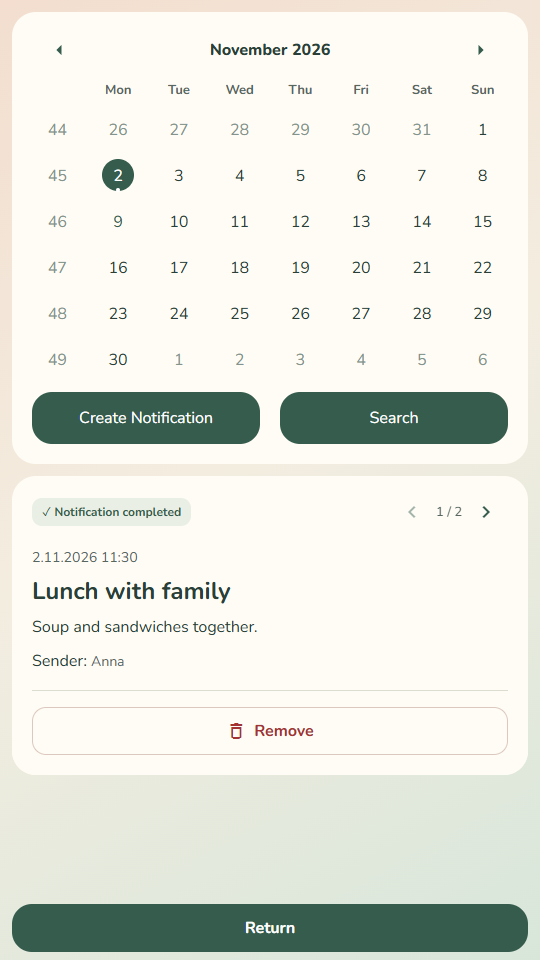
Minnet Mobile · For family and trusted people
Support from your own phone.
Organize reminders, review saved responses and adjust supported tablet settings remotely. Family members and other trusted people use their own accounts in the same connected family group.
- Plan a reminder
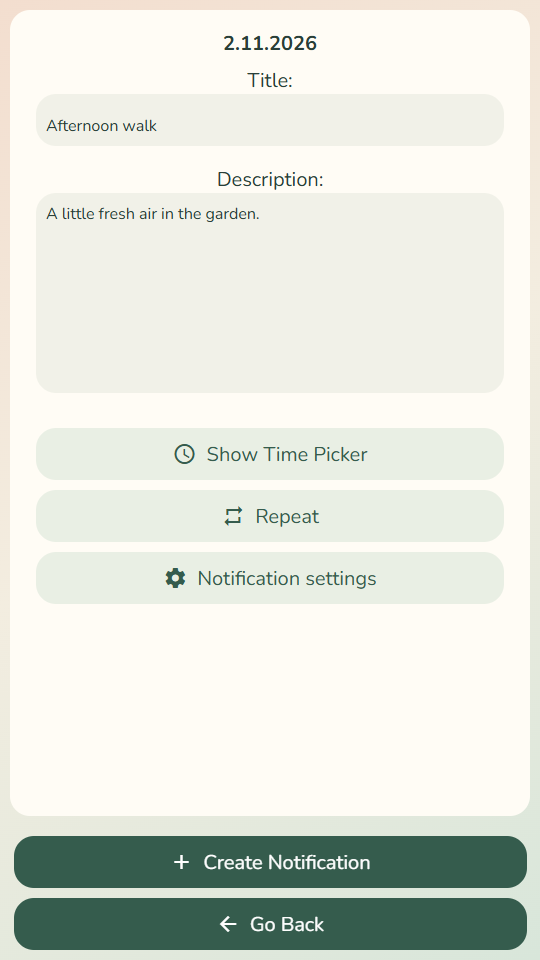
- Add a title, description, date and time. Choose whether it belongs on the tablet or is a family calendar item, and whether acknowledgement is required.
- Keep routines organized
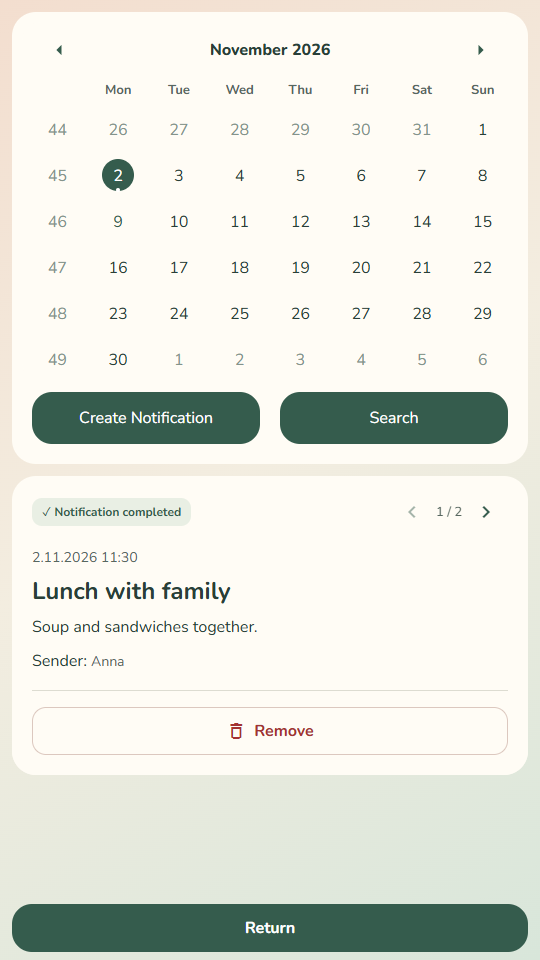
- Review reminders by day, search by title or date, and edit or remove eligible items. Mobile supports custom repeating schedules; these require compatible tablet software and services.
- See the saved response
- The calendar shows a reminder’s saved completion state. Completion and missed-deadline alerts can also be sent, subject to notification permissions and delivery conditions.
- Adjust the tablet experience
- Choose the tablet language, tap-to-read, visible actions, idle mode and supported clock/calendar display options. Your personal mobile language is a separate setting.
Tablet settings apply to the connected family group. These controls adjust Minnet’s app experience; supported devices and setup can be discussed with Minnet.
How it works
One reminder. A shared journey.
Once both applications are connected to the same family group, information travels between the phone and the tablet through the shared service.
Plan on mobile
A trusted person saves a tablet reminder with a title, details and a time. Here, it is an afternoon walk.
See it on the tablet
The connected tablet receives the reminder. When an eligible reminder is due, the active app opens its prompt, with speech if configured.
Respond at home
The older adult chooses Complete on the tablet. The application saves that response to the shared reminder.
Review on mobile
Family members see the saved state in their calendar. Configured alerts may also report completion or a missed deadline.
A saved acknowledgement records an action in the app. It does not verify that the walk, meal or other real-world activity happened. Alerts are not guaranteed to be received or read.
More than a reminder
A connection that goes both ways.
The applications share a family group. Here is what is shared, and what each person can do.
Reminders & responses
Mobile saves reminders to the group; the tablet displays tablet-targeted items and saves acknowledgements. Mobile reads that updated state.
One family conversation
Text messages, photos and deliberate voice recordings belong to a shared group chat. It is a family stream, visible to group members. Tablet chat must be enabled; media needs the relevant permissions and services.
Settings from phone to tablet
Changes made in mobile’s tablet settings are shared with the group’s tablet experience. Personal mobile settings remain separate.
Connected features require internet access, compatible apps and the relevant settings and permissions. Chat is shared with the family group rather than private one-to-one threads.
A place for each of you
Shared support. An active role for everyone.
The tablet keeps the day’s information at home, while mobile gives the people close to you a way to contribute from a distance.
For the person at home
Take part in your own everyday routine.
- See upcoming reminders in a daily view.
- Choose to acknowledge a reminder yourself.
- Use enabled family conversation and reminder actions.
For family & trusted people
Contribute to the day, wherever you are.
- Arrange reminders from your own phone.
- Review the response saved on the tablet.
- Share messages and adjust supported tablet options.
Practical questions
Using the two apps together.
A few things to know before getting connected.
Which app does each person use?
The older adult uses Minnet Tablet at home. Family members and other trusted people use Minnet Mobile on their phones. Both connect to the same family group with separate accounts.
How do we connect the two applications?
Minnet’s team creates the pilot family group and emails its joining code. Each family/mobile user creates their own account, verifies their email and joins using that code. The supplied tablet also requires tester registration and login. This website does not create groups or accounts.
Does Minnet work without an internet connection?
Connected reminders, saved responses and communication depend on internet access. The tablet app must be running and configured for due reminders. Offline reminder delivery is not established, so do not rely on it.
What does a completed reminder tell the family?
It tells the family that a completion response was saved in the application. It does not independently confirm a real-world activity or the person’s wellbeing. Dismissing an advance warning is separate from completing the due reminder.
Will we always receive an alert?
Completion and missed-deadline alerts depend on settings, device permissions, connectivity and notification delivery services. Idle mode can defer missed-reminder alerts. Sending a notification does not prove it was received, noticed or read.
Who sees our messages and reminders?
They are shared within the connected family group. Chat is a group conversation rather than private direct messages. Avoid sharing media links outside the group: copied download links can allow access to the media.
Can we make video calls between the apps?
Video calling is implemented, but compatible native devices, camera and microphone permissions, network operation and release validation are required. An automatic-answer option exists and needs discussion before use. Tablet contact targeting has an unresolved issue with duplicate names; ask Minnet about current calling support.
Which languages and devices can we use?
Pilot platforms are Android phones and iPhone for the family/mobile app, and Android tablets for the tablet app. The applications include Finnish, English and Swedish; personal mobile language and shared tablet language are separate. Ask Minnet about device compatibility.
Let’s talk about your everyday routine
Explore Minnet together.
Ask about the two applications, current availability, compatible devices or getting your family connected. Tell us what you would like to see in a demonstration.
Opens your email app to send an enquiry. No appointment is booked automatically.